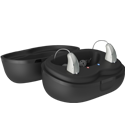
Choose from our video list to view use and care instructions for different hearing aids types and styles.
-
Invisible
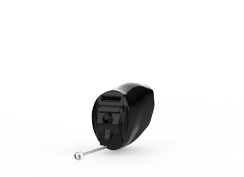
Intrigue AI
How to Power Custom Hearing Aids On & Off – Non-Rechargeable(00:17)How to Change a Custom Hearing Aid Battery(00:22)How to Change Wax Guards on Custom Hearing Aids(00:18)How to Clean Custom Hearing Aids(00:33)Signature Series
How to Insert & Remove Custom Hearing Aids (00:16)How to Charge CIC R - On & Off - Regular Charger(00:29)How to Charge CIC R - On & Off - Premium Charger(00:38)Other Models
-
Completely-in-Canal
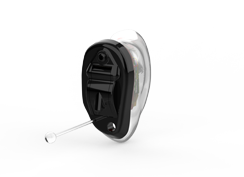
Intrigue AI
Pair Hearing Aids with Apple Device(00:36)Pair Hearing Aids with Android Device(00:47)How to Change Wax Guards on Custom Hearing Aids(00:18)How to Clean Custom Hearing Aids(00:33)How to Change a Custom Hearing Aid Battery(00:36)How to Use Custom Hearing Aid Tap Gesture(00:44)Signature Series
How to Charge CIC R - On & Off - Premium Charger(00:38)How to Charge CIC R - On & Off - Regular Charger(00:29)How to Insert & Remove Custom Hearing Aids (00:16)Arc AI
Arc AI, Audibel A4 iQ, Audibel A4 and Audibel A3
Binaural Volume Change with Remote(00:05)Monaural Volume Change with Remote(00:04)Monaural Memory Change with Remote(00:04)Synchronized Volume Change(00:10)Synchronized Memory Change(00:10)All Models
-
In-the-Canal
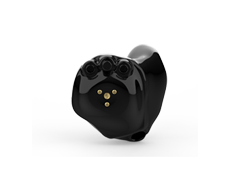
Intrigue AI
Pair Hearing Aids with Apple Device(00:36)Pair Hearing Aids with Android Device(00:47)How to Change Wax Guards on Custom Hearing Aids(00:18)How to Clean Custom Hearing Aids(00:33)How to Charge Custom Hearing Aids(00:14)How to Use Custom Hearing Aid Tap Gesture(00:44)How to Power Custom Hearing Aids On & Off(00:24)How to Insert & Remove Custom Hearing Aids(00:41)Arc AI
Pair Rechargeable Hearing Aids with Apple Device(00:32)Pair Rechargeable Hearing Aids with Android Device(00:26)Arc AI, Via Edge AI, Via AI and Via
Audibel A4 iQ, Audibel A4 and Audibel A3
Binaural Volume Change with Remote(00:05)Monaural Volume Change with Remote(00:04)Monaural Memory Change with Remote(00:04)Synchronized Volume Change(00:10)Synchronized Memory Change(00:10)All Models
-
In-the-Ear
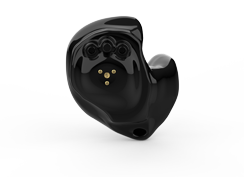
All Models
Battery Replacement(00:33)Hear Clear Removal and Replacement(00:07)Inserting the Device(00:11)On & Off(00:11)Using T2 Remote(00:29)Arc AI
Pair Rechargeable Hearing Aids with Apple Device(00:32)Pair Rechargeable Hearing Aids with Android Device(00:26)Audibel A4 iQ, Audibel A4 and Audibel A3
Binaural Volume Change with Remote(00:05)Monaural Volume Change with Remote(00:04)Monaural Memory Change with Remote(00:04)Synchronized Volume Change(00:10)Synchronized Memory Change(00:10)Intrigue AI
Pair Hearing Aids with Apple Device(00:36)Pair Hearing Aids with Android Device(00:47)How to Change Wax Guards on Custom Hearing Aids(00:18)How to Clean Custom Hearing Aids(00:33)How to Charge Custom Hearing Aids(00:14)How to Use Custom Hearing Aid Tap Gesture(00:44)How to Power Custom Hearing Aids On & Off(00:24)How to Insert & Remove Custom Hearing Aids(00:41)Arc AI, Via Edge AI, Via AI and Via
-
Receiver-in-Canal
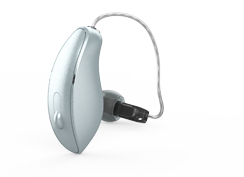
Intrigue AI
Pair Hearing Aids with Apple Device(00:40)Pair Hearing Aids with Android Device(00:47)How to Charge RIC Hearing Aids(00:16)How to Clean RIC Hearing Aids(00:39)How to Change Wax Guards on Standard Hearing Aids(00:19)How to Insert and Remove Standard Hearing Aids(00:55)How to Wear Hearing Aids with Glasses(00:24)How to Power RIC Hearing Aids On & Off(00:27)How to Replace RIC Hearing Aid Earpiece(00:18)How to Use RIC Hearing Aid Tap Gesture(00:44)A Series AI, Arc AI, Via Edge AI, Via AI and Via
Pair Hearing Aids with Apple Device(00:31)Pair Hearing Aids with Android Device(00:28)Pair Rechargeable Hearing Aids with Apple Device(00:32)Pair Rechargeable Hearing Aids with Android Device(00:26)Inserting the 40-Gain Receiver in Earmold(00:10)Mic Cover Removal and Replacement(00:11)Hear Clear Removal and Replacement(00:11)Battery Replacement(00:12)Receiver Removal(00:04)On & Off(00:08)Comfort Bud Replacement(00:08)Tap Control(00:02)Pairing with Android(00:30)Micro RIC 312: On and Off(00:08)Micro RIC 312: Battery Replacement(00:13)Micro RIC 312 Comfort Bud Replacement(00:05)Micro RIC 312: Hear Clear Removal and Replacement(00:10)Micro RIC 312: Left-Right Indicator Insertion(00:08)Micro RIC 312: Mic Cover Removal and Replacement(00:11)Micro RIC 312: Inserting Hearing Aid Receiver(00:06)Micro RIC 312: Hearing Aid Receiver Removal(00:08)Micro RIC 312: Tap Control(00:02)Micro RIC 312: Pairing with Mini Remote Microphone(00:40)Audibel A4i iQ
Audibel A4 iQ, Audibel A4, Audibel A3 and Audibel A2
Binaural Volume Change with Remote(00:05)Monaural Volume Change with Remote(00:04)Monaural Memory Change with Remote(00:04)Switch Volume Change(00:09)Switch Memory Change(00:09)Switch Volume and Memory Dual Function(00:12)Audibel A3
Thrive
All Models
-
Behind-the-Ear
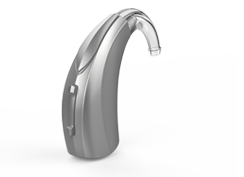
A Series AI, Arc AI, Via Edge AI, Via AI and Via
Pair Hearing Aids with Apple Device(00:31)Pair Hearing Aids with Android Device(00:28)Pair Rechargeable Hearing Aids with Apple Device(00:32)Pair Rechargeable Hearing Aids with Android Device(00:26)Mic Cover Removal and Replacement(00:11)Thin Tube Assembly(00:26)Battery Replacement(00:11)On & Off(00:08)Thin Tube Care & Maintenance(00:45)Inserting the Device(00:09)Tap Control(00:02)Audibel A4 iQ, Audibel A4, Audibel A3 and Audibel A2
Binaural Volume Change With Remote(00:05)Monaural Volume Change with Remote(00:04)Monaural Memory Change With Remote(00:04)Switch Volume Change(00:09)Switch Memory Change(00:09)Switch Volume and Memory Dual Function(00:12)Audibel A3
Thrive
All Models
-
Wax Protection
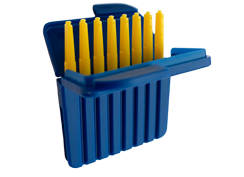
Wax Protection
-
My Audibel App
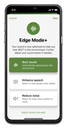
My Audibel
How to Use Transcribe(00:37)How to Use Smart Assistant(00:26)How to Use Self Check(00:37)How to Customize Tap Control(00:36)How to Use Reminders(00:38)How to Use Translate(00:33)How to Use Find My Hearing Aids(00:19)Pairing Hearing Aids with Apple Device(00:36)Pairing Hearing Aids with Android Device(00:47)How to Use Hear Share(01:54)How to Use TeleHear(00:35)How to Use Learn Section(01:08)How to Use the Health Section(01:40)How to Use Fall Alert(00:47)How to Use Edge Mode+(00:19)Get to Know Your App Home Screen (Adjust Sound)(02:25)Get to Know Your App Home Screen (Edge Mode+)(02:25) -
Thrive Hearing App
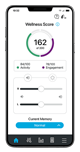
Thrive App
Thrive App Initial Setup(01:49)Create Thrive Account with Apple(00:27)Create Thrive Account with Facebook(00:27)Create Thrive Account with Google(00:40)Pairing Hearing Aids with Your Device(00:33)Un-pair Hearing Aids with Your Device(00:36)Audio Routing(00:32)Triple-Click Feature on Apple Devices(00:19)Apple Notification Center Service Alerts(00:18)Adjust Hearing Aid Audio When Streaming(00:35)Adjusting Volume, Mute and Unmute(00:34)How to Geotag a Custom Thrive Memory(00:23)How to Use "Find My Hearing Aids"(00:13)Tap Control(00:44)Thrive Assistant(00:45)Voice AI (00:49)Mask Mode(00:44)Thrive Wellness Score(00:50)Fall Detection and Alerts(01:02)TeleHear Remote Programming(01:00)Transcribe(00:25)Language Translation(00:48)Self Check(00:45)CROS Controls(00:09)Turning Off Demo Mode(00:23)Auto On/Off(00:14)Reminders(00:48)Accept/End/Decline(00:16) -
Wireless Accessories
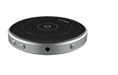
StarLink Edge Remote Microphone
StarLink Edge Remote Microphone – Pairing with Hearing Aids(00:53)StarLink Edge Remote Microphone – Pairing with Rechargeable Hearing Aids(00:55)StarLink Edge Table Microphone
StarLink Edge Table Microphone – Pairing with Hearing Aids(00:56)StarLink Edge Table Microphone – Pairing with Rechargeable Hearing Aids(00:56)StarLink Edge TV Streamer
Pairing with Starlink Edge TV Streamer with non-rechargeable hearing aids(00:41)Pairing with Starlink Edge TV Streamer with rechargeable hearing aids(00:40)TV Streamer
Pairing TV Streamer with Rechargeable Hearing Aids (00:39)RIC 312 pairing with TV Streamer(00:48)Micro RIC 312: Pairing with TV(00:35)Remote Microphone +
Pairing Remote Microphone + with Rechargeable Hearing Aids(00:55)Pairing Remote Microphone + with Rechargeable Hearing Aids & Android(01:43)RIC 312 pairing with Remote Microphone +(01:04)RIC 312 pairing with Remote Microphone + to Android phone(02:05)Remote Microphone + Power On/Off(00:23)Micro RIC 312: Pairing with Remote Microphone +(00:48)Micro RIC 312: Pairing Remote Microphone + with Android(01:36)Resetting Remote Microphone +(00:36)Amazon Echo Dot(00:47)Attaching the Lanyard(00:13)Mini Remote Microphone
Pairing Mini Remote Microphone with Rechargeable Hearing Aids(00:46)RIC 312 pairing with Mini Remote Microphone(00:49)Micro RIC 312: Pairing with Mini Remote Microphone(00:40)Remote Control
RIC R: Pairing with Remote(00:43)Micro RIC 312: Pairing with Remote(00:46)Attaching the Lanyard(00:37)Remote Control 2.0
Pairing Remote Control with Rechargeable Hearing Aids(00:44)RIC 312 pairing with Remote Control 2.0(00:53)Table Microphone
-
SurfLink Accessories
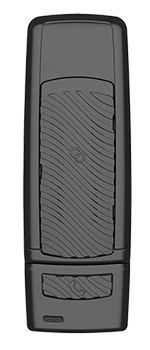
SurfLink Media 2
SurfLink Mini Mobile
SurfLink Mini Mobile System On(00:12)SurfLink Mini Mobile System Pairing(00:07)RIC R: Pairing with SurfLink Mini Mobile(00:23)SurfLink Mobile 2
Answering(00:06)Call Waiting(00:19)Decline Call(00:05)Directional Mic(00:09)Favorite(00:06)Home(00:07)Left Right Binaural(00:09)Memory Change(00:06)Mute Unmute(00:07)Pairing Bluetooth(00:18)Syncing(00:22)Streaming Bluetooth(00:06)Voice Pickup(00:19)Volume(00:09)Wired Input(00:05)Accessories - Clip(00:15)Accessories - Lanyard(00:15)RIC R: Pairing with SurfLink Mobile 2(00:25)SurfLink Remote
SurfLink Remote Microphone 2
-
Charging